Mathcha File (.mathcha)
Mathcha supports exporting and importing documents as .mathcha files. This format preserves the full document structure including all math expressions, drawing areas, images, and embedded resources — making it ideal for backups or transferring documents between accounts.
Exporting a Document
Section titled “Exporting a Document”There are two ways to export:
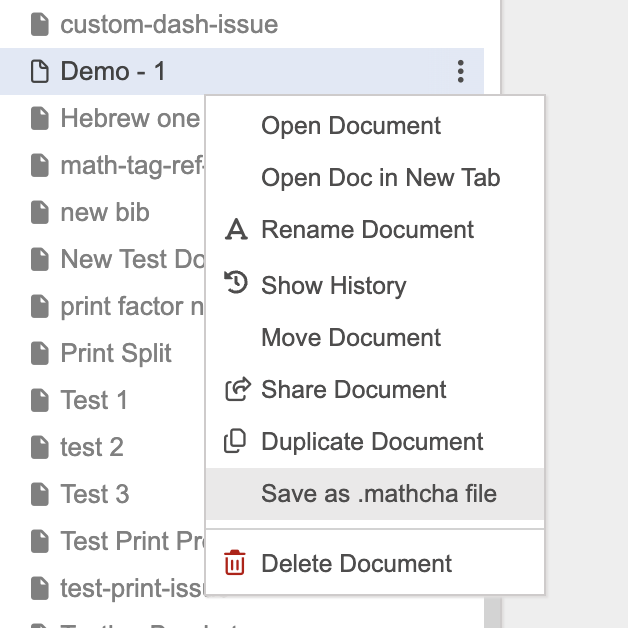
From the sidebar — right-click a document and select Save as .mathcha file:
From the editor — open the document, then go to Menu > Save as Mathcha file (.mathcha).
The export dialog shows progress as the document and its resources are packaged:
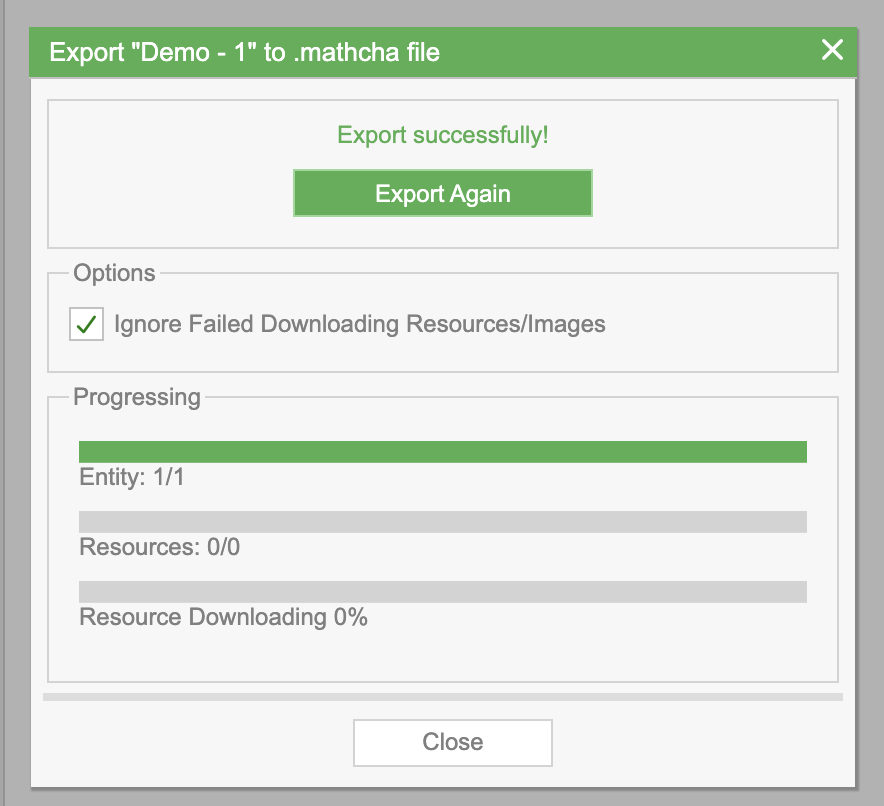
- Entity — the document content being exported
- Resources — embedded images and other assets
- Resource Downloading — progress of downloading resources for packaging
Check Ignore Failed Downloading Resources/Images if you want the export to complete even when some resources are unavailable.
Once complete, the .mathcha file is downloaded to your computer.
Importing a Document
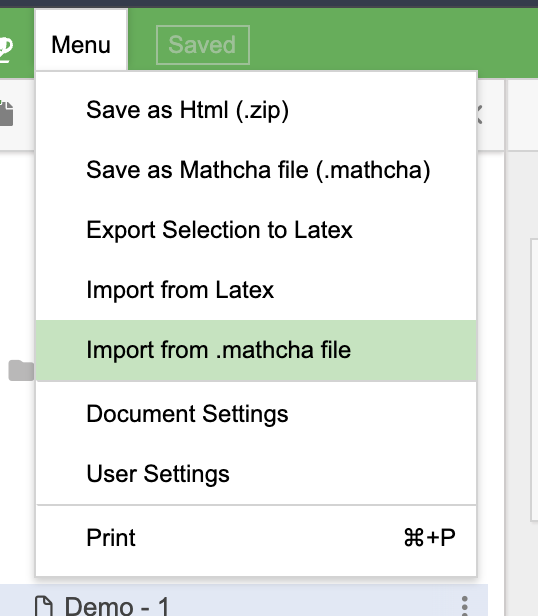
Section titled “Importing a Document”Go to Menu > Import from .mathcha file:
Drag and drop your .mathcha file into the import dialog (or click to browse). The import processes the file and uploads its contents:
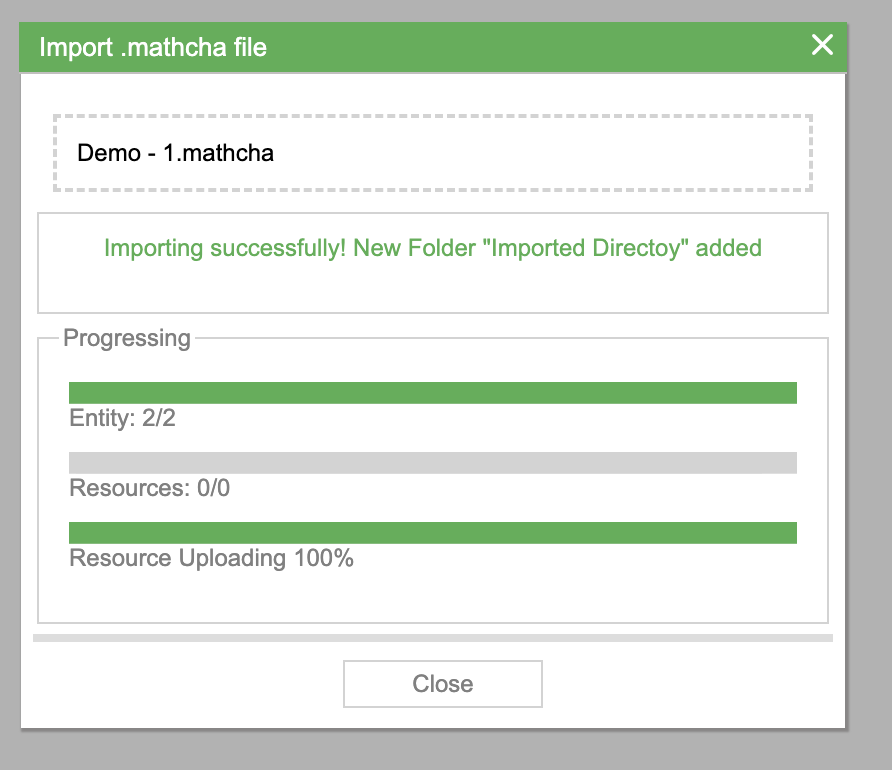
- Entity — the documents being restored
- Resources — embedded images and assets being uploaded
- Resource Uploading — progress of uploading resources to your account
Once complete, a new folder called “Imported Directory” is created in your sidebar containing the imported documents.