Document Settings
Go to Menu->Document Settings
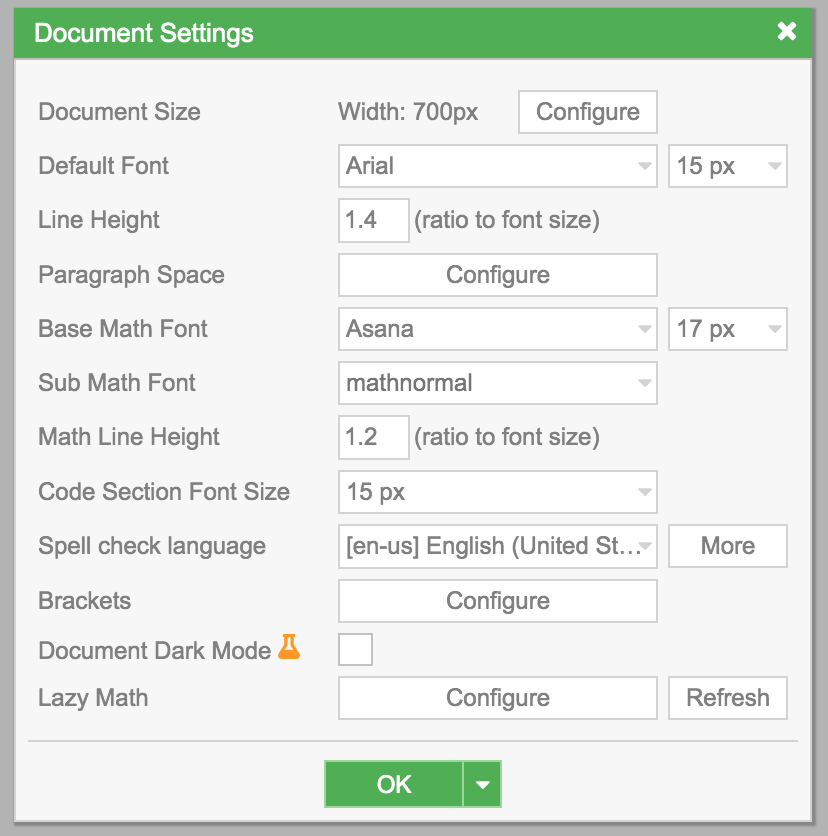
Document Size
Section titled “Document Size”- Select
Document Size->Configure
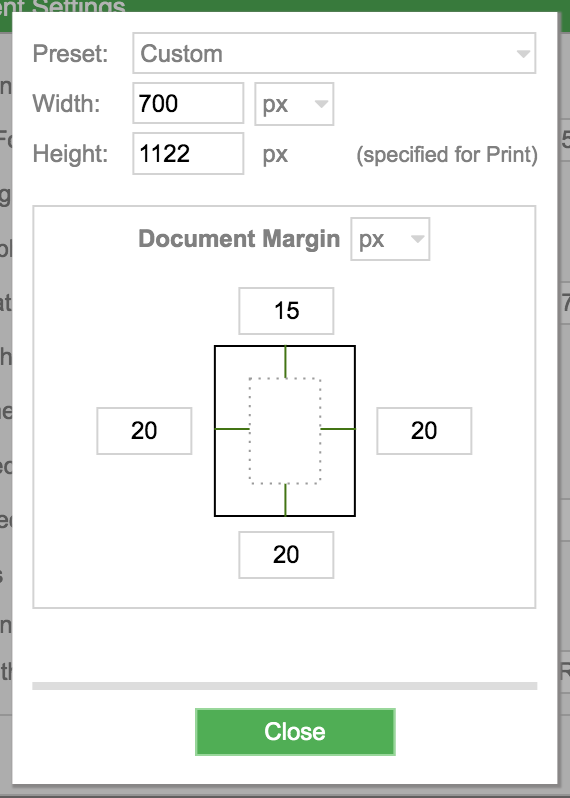
-
Default Font: specifies the font and font size for the whole document (Text Modeonly). -
Line Height: specifies the minimum height for each line inText Modeonly. The unit isRatio to Font Size . -
Paragraph Space->Configure
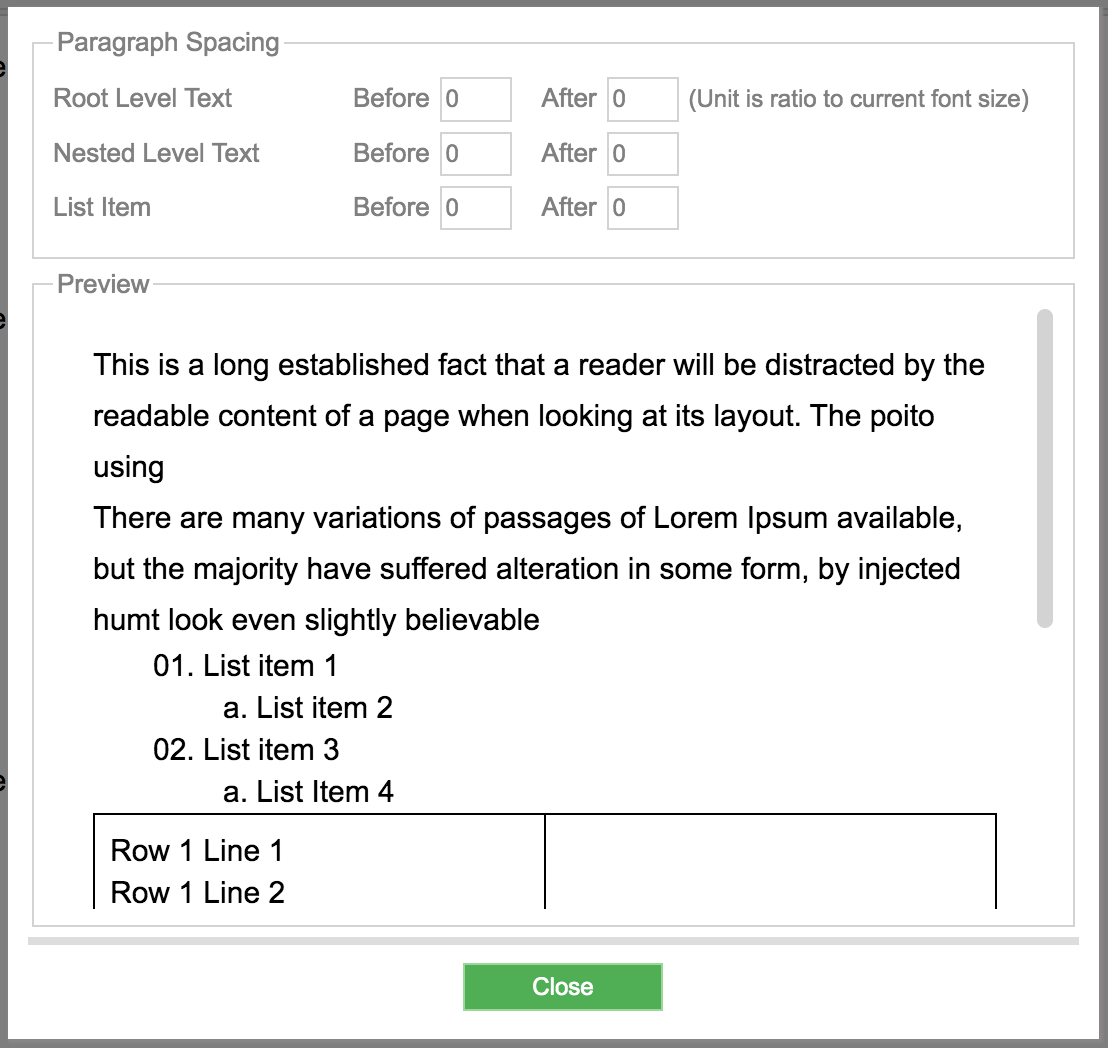
-
Every time you press
Enter, a new paragraph is created. This option lets you specify the spacing between paragraphs. It only applies toText Mode. There are 3 types:- Any Paragraph in
Root Level, more info onRoot Level - Any Paragraph in
Nested Level, which is anyText Modenot inRoot Level - Spacing between
List Item
- Any Paragraph in
-
Base Math Font: selects the font for the whole document, applied toMath Mode.
Sub Math Font: users rarely need to change this option.Math Line Height: specifies the minimum height for each line inMath Mode. The unit isRatio to Font Size .