Brackets
Default brackets
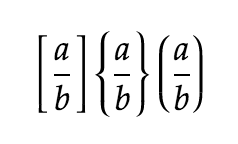
Section titled “Default brackets”By default, bracket height is adjusted automatically when matching “open-closed” bracket pairs are found. For example:
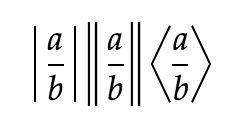
For other delimiters like:
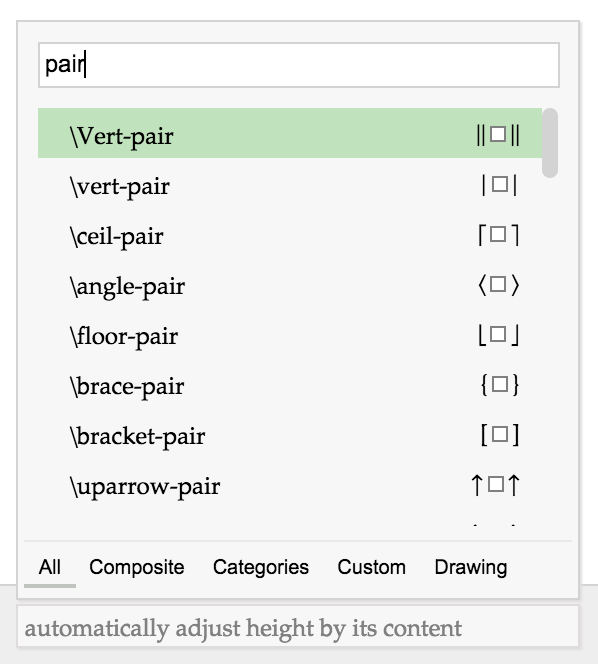
To have the height adjusted automatically based on content, insert via the Suggestion Box. Type pair to see a list of available pairs:
Left or Right only brackets
Section titled “Left or Right only brackets”In some cases, you only need one side of a bracket pair but still want the height to adjust automatically based on content. You can use a special “empty bracket” for this. There are 2 kinds: \left. and \right. (note the “dot” at the end).
For example, let’s say you want to input something like this:
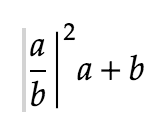
If you click on the formula above, you will see a “gray bar” on the left of a/b. This is an “empty bracket” with the name \left. in the Suggestion Box. This “empty bracket” tells Mathcha which content determines the height of the ”|” (\right|).
Middle Bar
Section titled “Middle Bar”If you want a middle bar that adjusts to the height of the brackets, use \middle|.
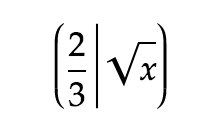
Force Normal Brackets
Section titled “Force Normal Brackets”Brackets can be used as normal characters with normal height. For example:
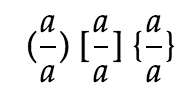
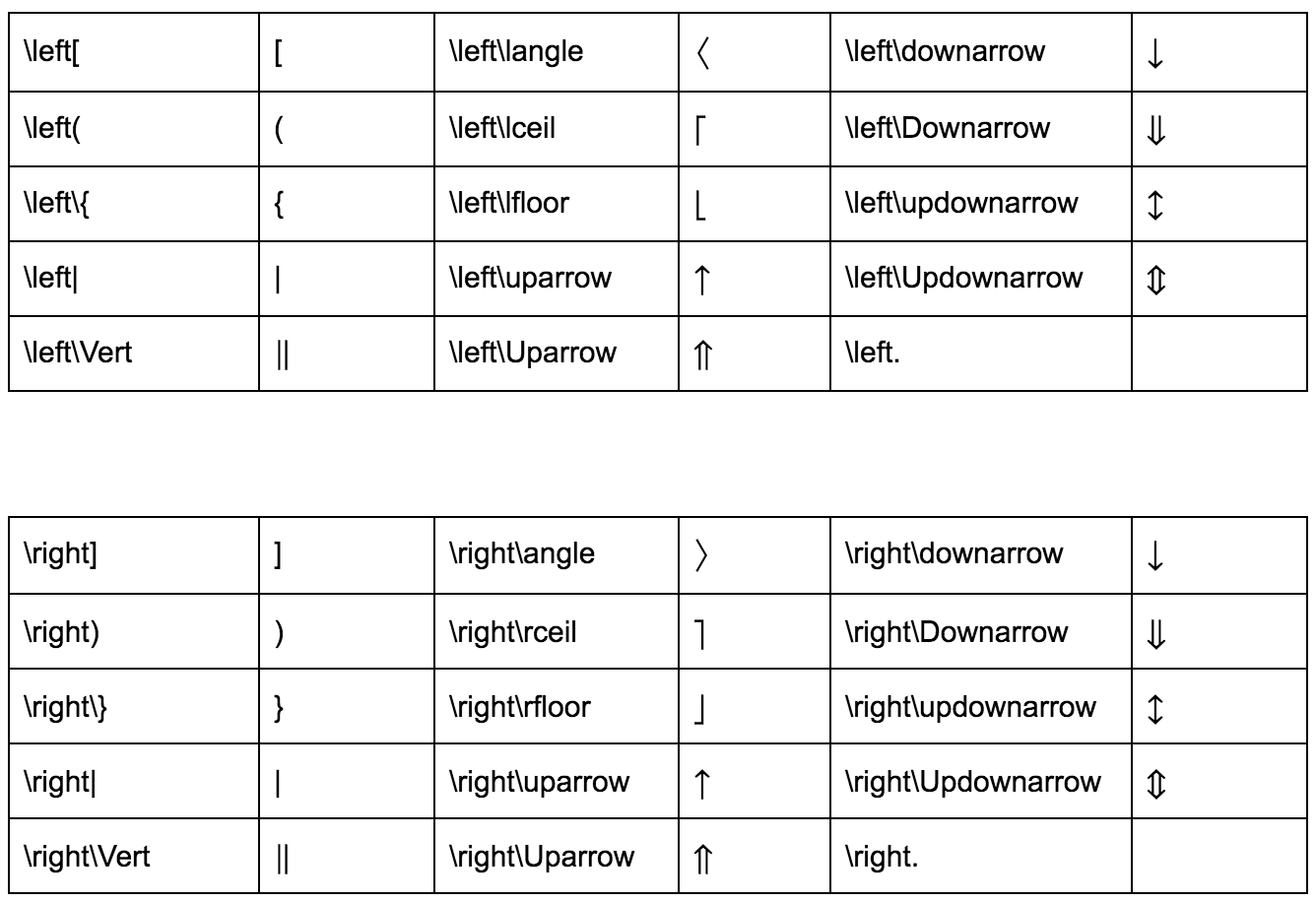
Search in the Suggestion Box using the names in the table:

Manually adjust bracket height
Section titled “Manually adjust bracket height”In some cases you may want to force a bracket to a specific height. Use \bigl or \bigr and click on  to select the bracket type and size. For example:
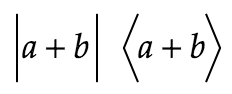
Settings:
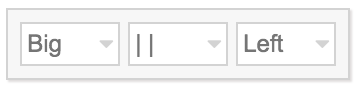
From Left to Right:
- (1) Select the Size of brackets
- (2) Select Bracket Types
- (3) Select Open or Closed Bracket
Disable Bracket Matching
Section titled “Disable Bracket Matching”This option is configured at Document level:
Location: Menu→ Document Settings→ Brackets Configure

Bracket List
Section titled “Bracket List”